
Get Started · Lesson 6 of 23
Creating Canvas app
Creating First Canvas app.
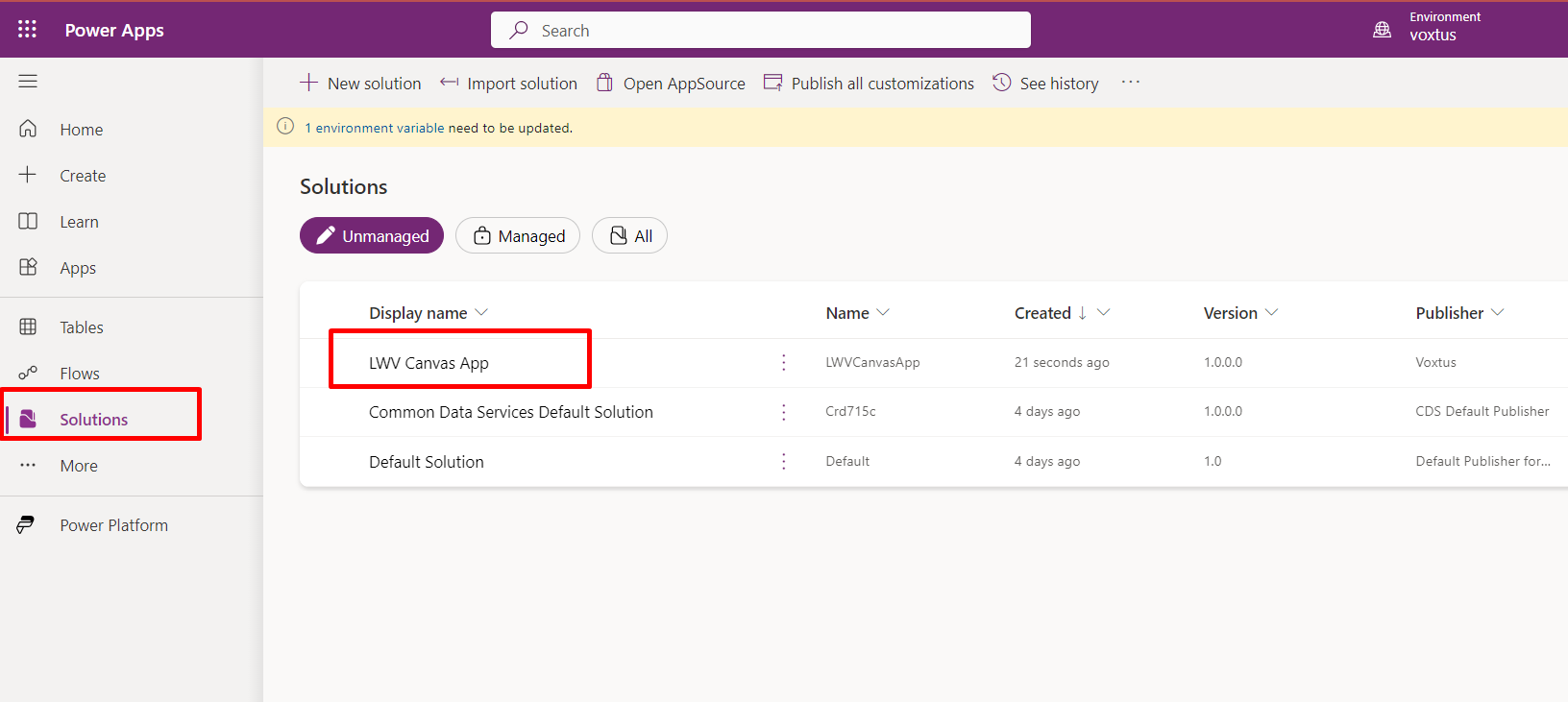
To create a new Canvas Application, go to the Solutions tab and select the previously created solution.
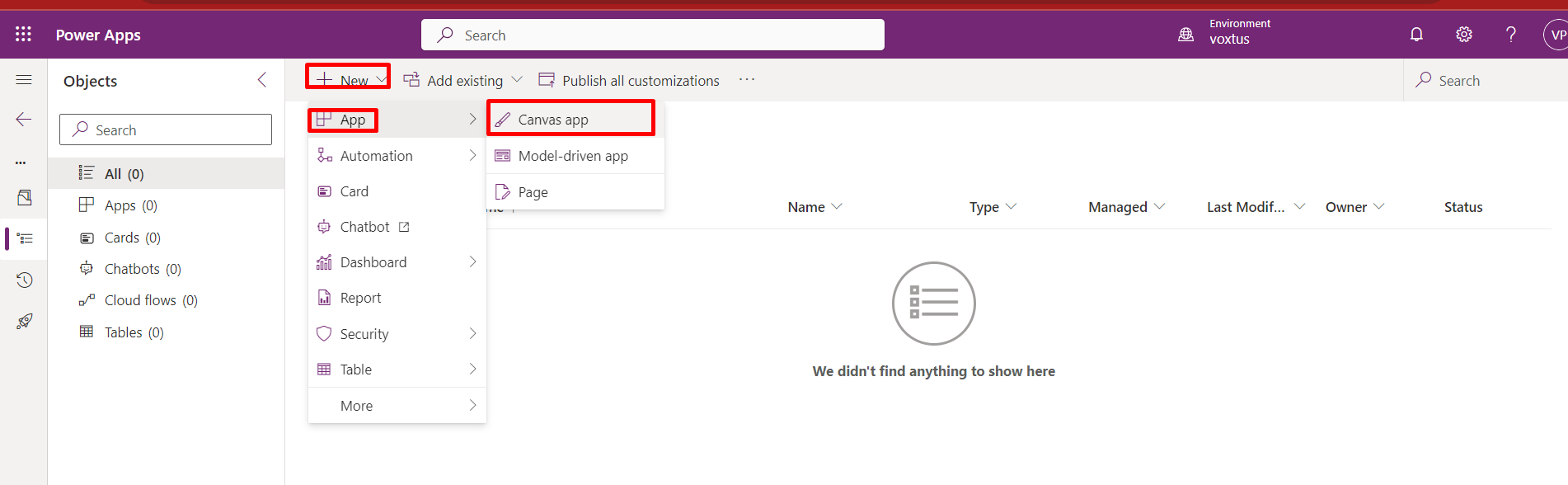
- Inside the solution, click on the "+ New" button, hover over "App," and then select "Canvas App." A pop-up window will appear.
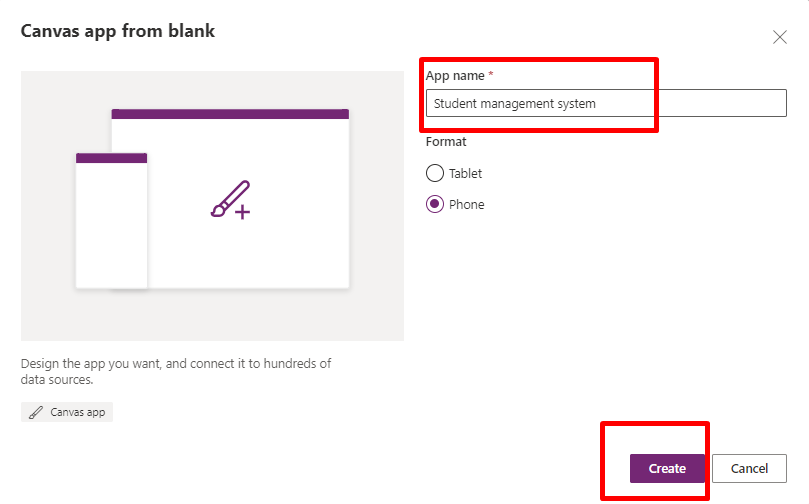
- Specify the name of the app and choose its format, whether it is for tablet or phone.
Before moving further let me give you an overview of “Power Apps canvas Studio layout”.