
Task Management App
Overview
The Task Management App is designed to monitor and manage daily, weekly, monthly, and quarterly tasks assigned by the company. The app enables users to track task progress, set target times, and update statuses efficiently. The intuitive interface allows users to filter tasks based on different parameters such as status, manager, team, and frequency. This ensures smooth workflow management and better accountability in task execution.
- Task Tracking: Users can view tasks with details including target time, system, and completion time.
- Search & Filter: Tasks can be filtered by status, manager, team, and frequency.
- Task Updates: Users can update or delete tasks directly from the task details Power App screen.
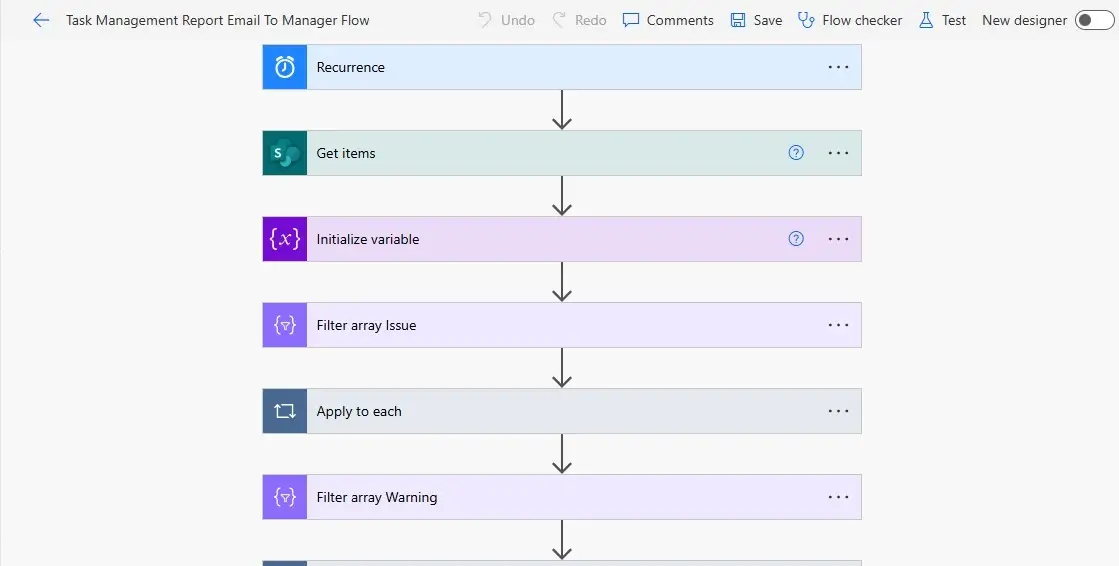
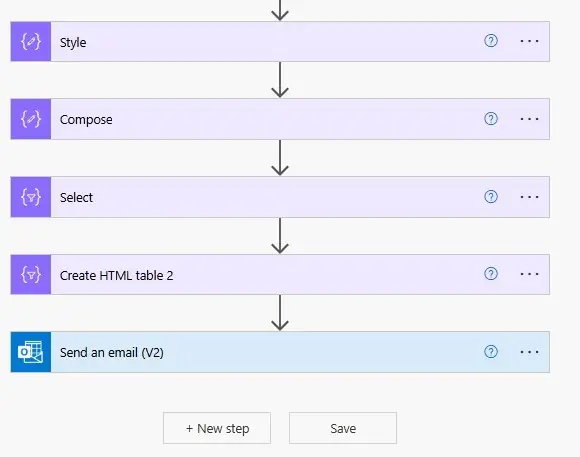
- Automated Notifications: A Power Automate workflow sends daily email notifications to managers about task updates.
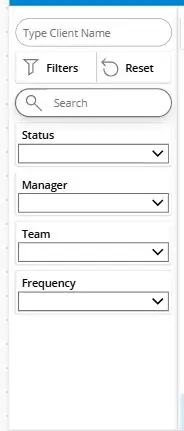
- User-Friendly Navigation: A left navigation panel provides filters and search options, while the right panel displays task lists.
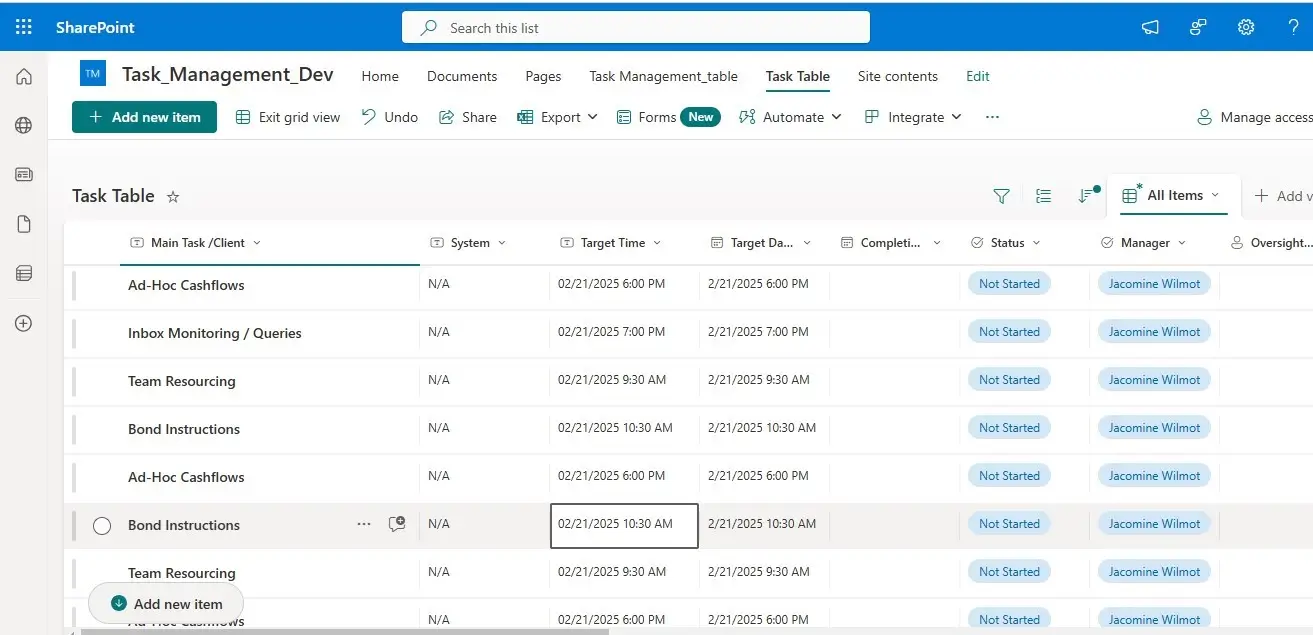
- Integration with SharePoint: Tasks are stored and retrieved from a SharePoint list for seamless data management.
About the Dashboard:
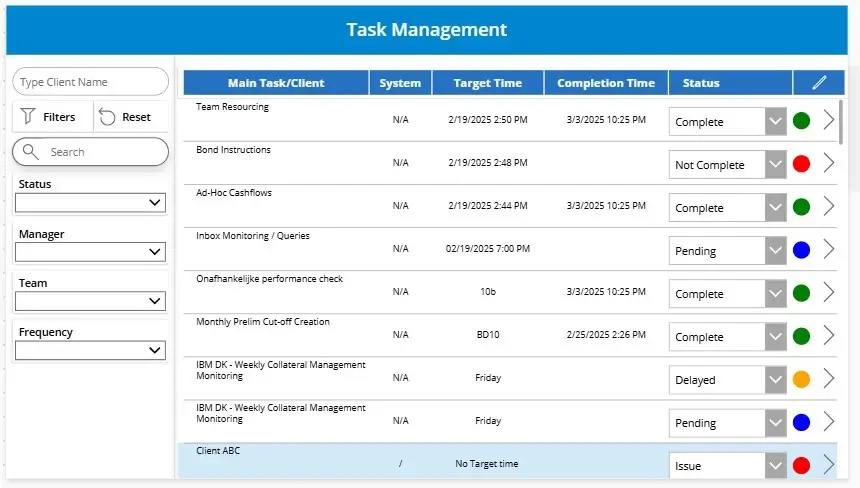
The Task Management Dashboard provides an overview of all tasks, categorized by status, system, target time, and completion time. The dashboard consists of:
- Left Navigation Container: Includes search filters to refine tasks based on criteria such as status, manager, team, and frequency.
- Right Navigation Container: Displays a task gallery that lists tasks from SharePoint with columns for Main Task, System, Target Time, Completion Time, and Status.
- Status Indicators: Color-coded status markers help users quickly identify task progress.
- Task Selection & Navigation: Clicking on a task navigates the user to the detailed task view.
Task Details Screen:
The Task Details Screen provides comprehensive information about a selected task. Users can:
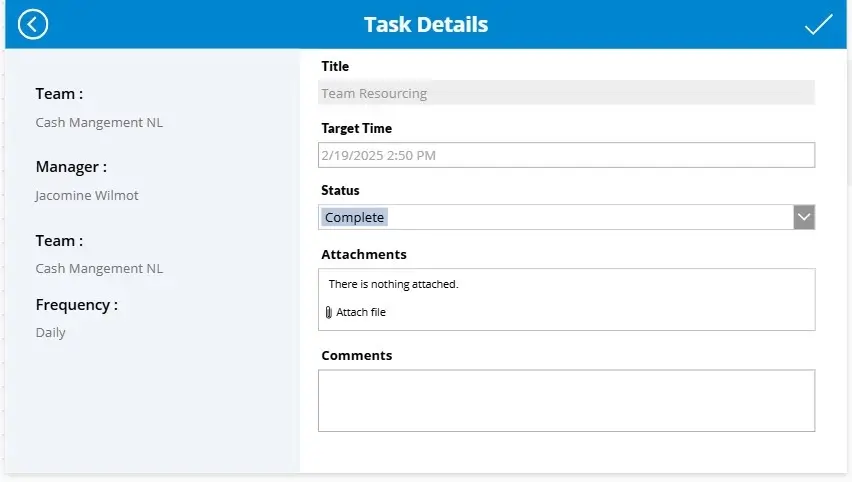
- View Task Details: Title, target time, team, manager, frequency, and status.
- Update Task: Modify details such as completion status, comments, and attachments.
- Delete Task: Remove a task if no longer required.
- Attach Files: Upload relevant documents for better task tracking.
Data Source & Workflows:
- Data Source: The app utilizes SharePoint as its backend to store and retrieve task details.
- Power Automate Workflow: A scheduled Power Automate Flow is implemented to send daily email notifications to managers regarding task updates. This enhances task visibility and ensures timely actions.
Conclusion:
The Task Management App streamlines the tracking and execution of company-assigned tasks. With features like task filtering, automated notifications, and an intuitive interface, the app ensures efficient workflow management. By leveraging SharePoint for data storage and Power Automate for email automation, it provides a seamless solution for task monitoring and completion tracking. This application enhances productivity and ensures accountability in task execution within the organization.
Contact Information:
- Email: info@voxtus.com
- Phone:+91-8630235507
Project information
Category: App Design
Project date: 22 December, 2025
Information Technology:
- Canvas App
- SharePoint
- Power Automate