Advanced Flow Design · Lesson 15 of 15
Creating Loops and Iterations
Understanding Loops and Iterations
Loops and iterations are like the reliable assistants in your workflow, tirelessly performing actions for each item in a list. Let's delve into the specifics.
Looping Through Data
Step-by-Step Guide:
Scenario: Creating Greetings for Each Name in a List
1. Trigger:
- Use the "Manually trigger a flow" trigger. This trigger allows you to start the flow manually for testing purposes.
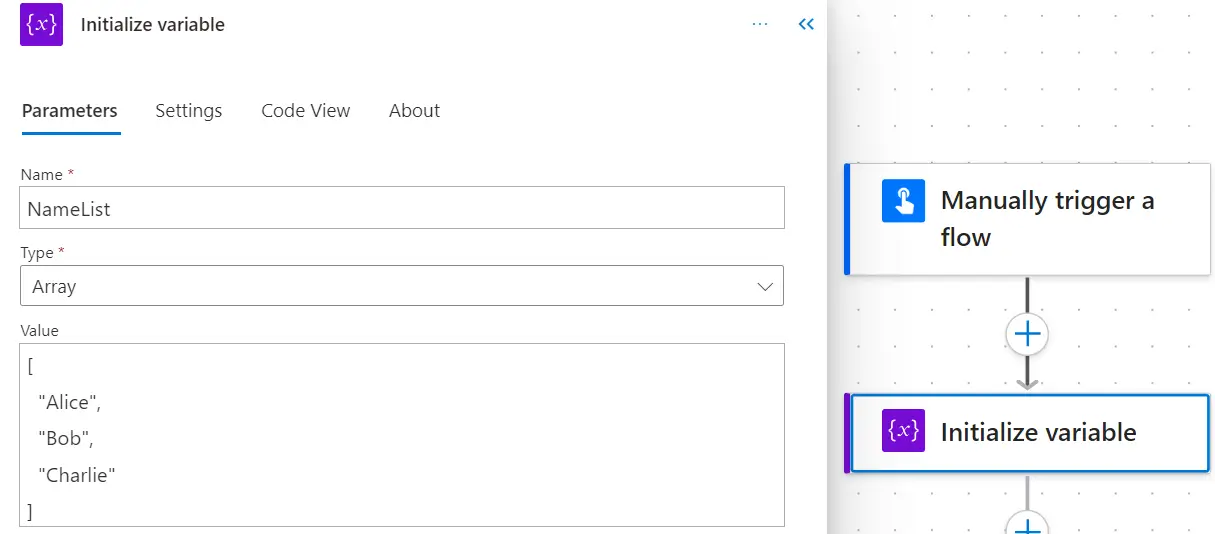
2. Initialize Variable:
- Add an action to initialize a variable. Let's call it "NameList" and set its value to an array of names. For example, ["Alice", "Bob", "Charlie"].
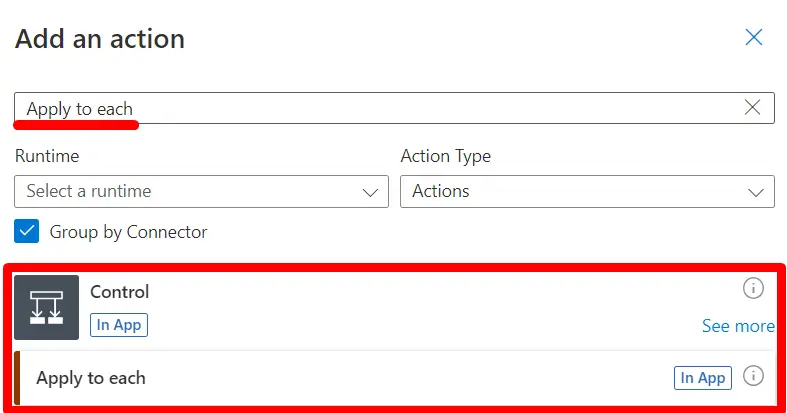
3. Apply to Each:
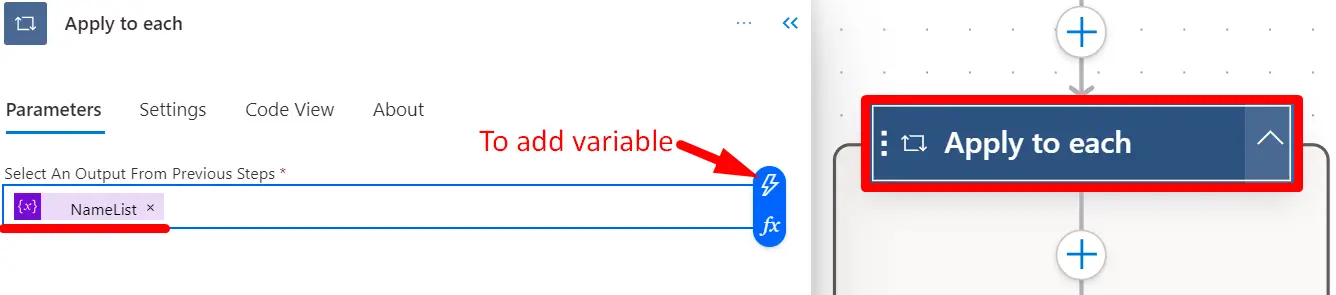
- Add the "Apply to Each" action.
- Choose the "NameList" variable as the input array.
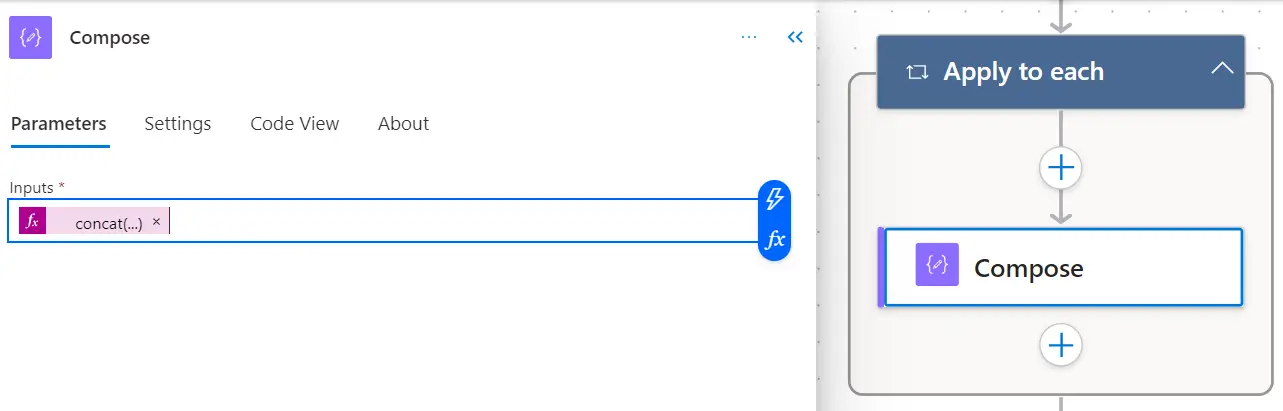
4. Compose:
- Inside the "Apply to Each" loop, add the "Compose" action.
- Use an expression to create a greeting for each name. For example, use the expression concat('Hello ', items('Apply_to_each')).
5. Compose (Outside the Loop):
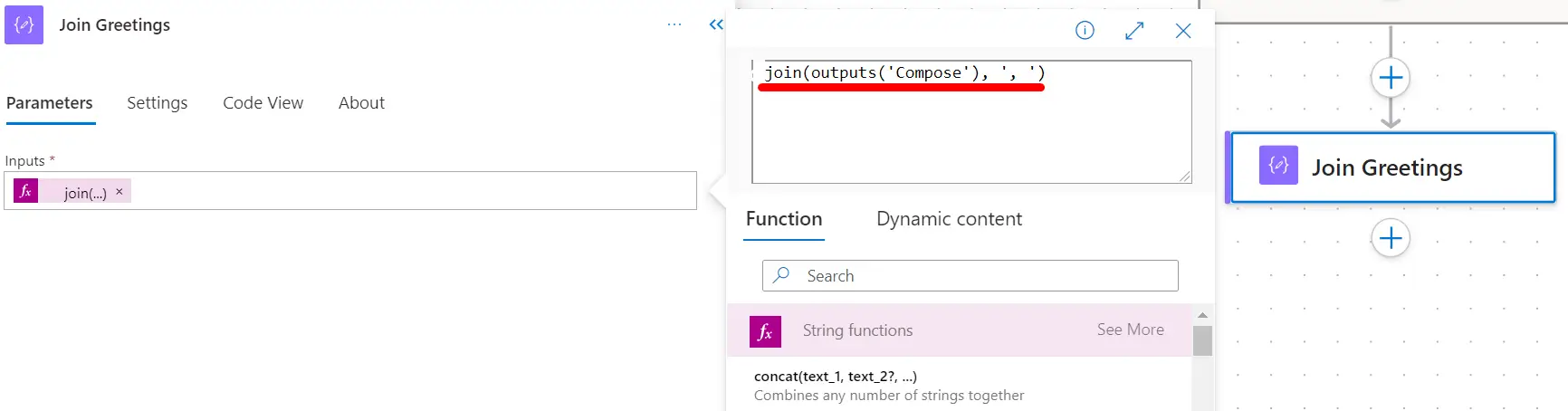
- Add another "Compose" action outside the loop to join the individual greetings into a single string.
- Use the expression join(outputs('Compose'), ', ') to create a comma-separated string.
6. Save and Test:
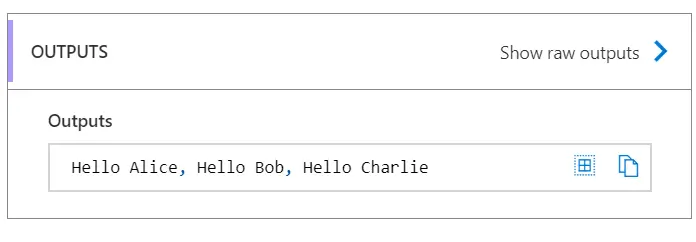
- Save your flow and manually trigger it. Check the output to see the generated greetings.