
Connectors Triggers and Actions · Lesson 6 of 15
Triggers
What are Triggers?
Triggers are events that initiate a flow in Power Automate. They serve as the "start buttons" for your workflows, specifying when a particular flow should be executed based on specific conditions or events.
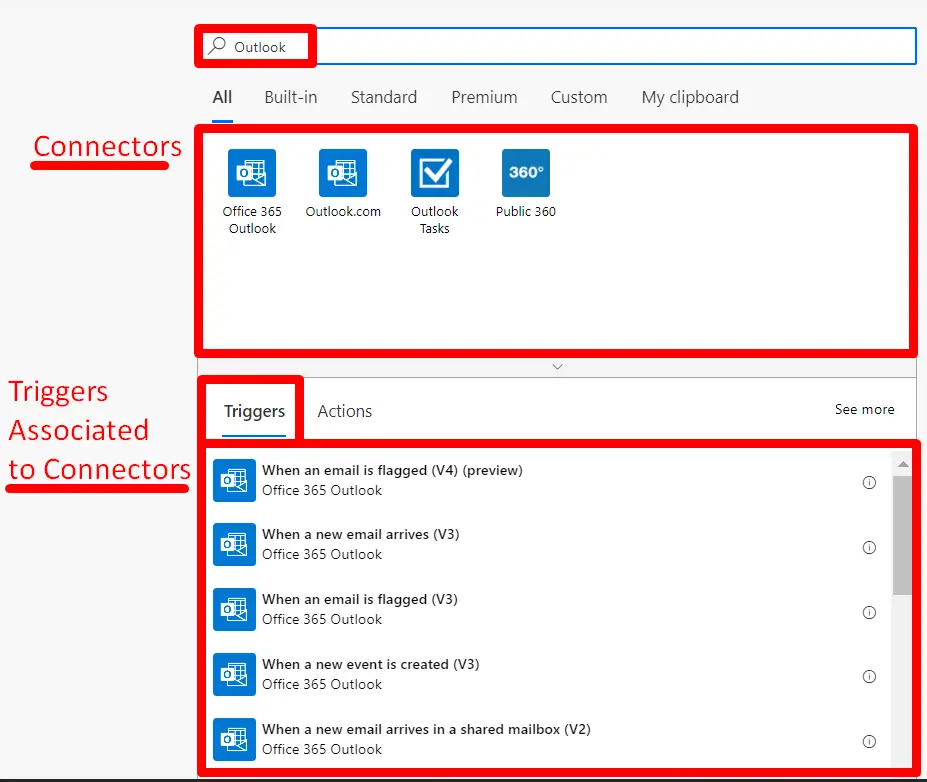
Types of Triggers:
- Manual Triggers: These are triggered by manual actions, such as a button press or a user-initiated command. They are suitable for on-demand flows.
- Example of Manual Trigger:
- Flow Button
- Approve/Reject Button
- Automated Triggers: These are triggered by predefined events or conditions, such as a new email arriving, a file being added to a folder, a form submission, or a scheduled time.
- Example of Automated Trigger:
- When a File is Created (OneDrive)
- When a New Form Response is Submitted (Microsoft Forms)
Key Points about Triggers:
- Triggers define when a flow begins and set the context for subsequent actions.
- They determine under what circumstances a flow should be executed, and this can include both internal and external events.
- Many connectors have specific triggers associated with them, allowing you to respond to events in the integrated service efficiently.