
Fixing “Invalid type. Expected String but got Null” Error in Power Automate Parse JSON.
While working with Power Automate, one of the most common errors developers face in the Parse JSON action is:
"Invalid type. Expected String but got Null"
This error can be confusing because the flow may work perfectly for some runs and suddenly fail for others. In this blog, we’ll explain why this error occurs and how to fix it correctly using a flexible JSON schema.
The Problem
In Power Automate, the Parse JSON action validates incoming data strictly against the schema you define.
If your schema expects a string but the actual value at runtime is null, the action fails immediately.
Even if only one field inside an array contains a null value, the entire Parse JSON step will fail.
Initial Parse JSON Schema (Causing the Error)
Below is an example of a schema that causes this issue:
{
  "type": "object",
  "properties": {
    "changedAttributes": {
      "type": "array",
      "items": {
        "type": "object",
        "properties": {
          "logicalName": {
            "type": "string"
          },
          "oldValue": {
            "type": "string"
          },
          "newValue": {},
          "oldName": {
            "type": "string"
          }
        },
        "required": [
          "logicalName",
          "oldValue",
          "newValue"
        ]
      }
    }
  }
}
Error Received
Invalid type. Expected String but got Null
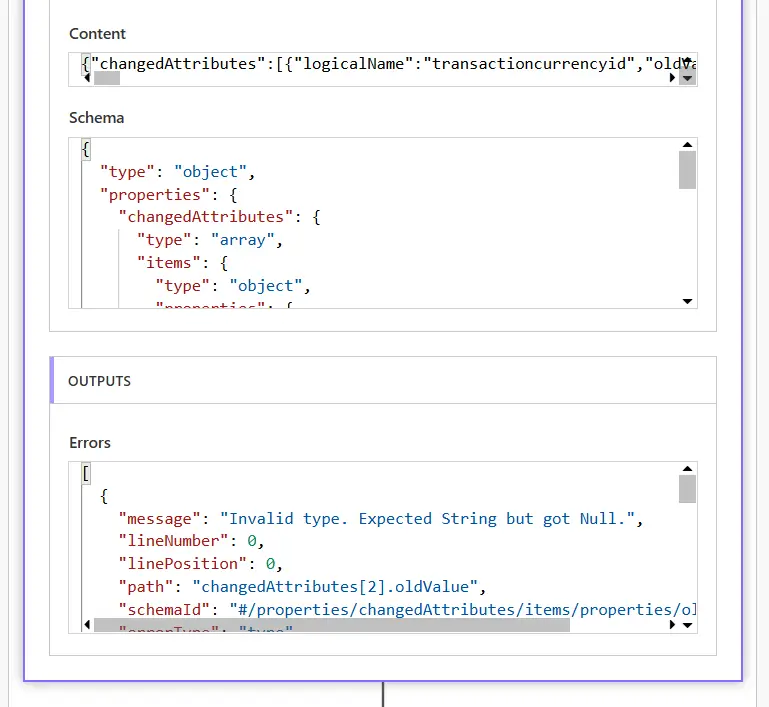
Why This Error Happens
- Power Automate expects values strictly based on the schema
- Some fields may return null
- "type": "string" does not allow null values
- The Parse JSON action fails when null appears
The Correct Solution: Allow string and null
To fix this issue, update your schema so it accepts both string and null values.
Key Change (Very Important)
Replace:
"type": "string"
With:
[
  "string",
  "null"
]
Updated Parse JSON Schema (Resolved)
            {
  "type": "object",
  "properties": {
    "changedAttributes": {
      "type": "array",
      "items": {
        "type": "object",
        "properties": {
          "logicalName": {
            "type": [
              "string",
              "null"
            ]
          },
          "oldValue": {
            "type": [
              "string",
              "null"
            ]
          },
          "newValue": {},
          "oldName": {
            "type": [
              "string",
              "null"
            ]
          }
        }
      }
    }
  }
}
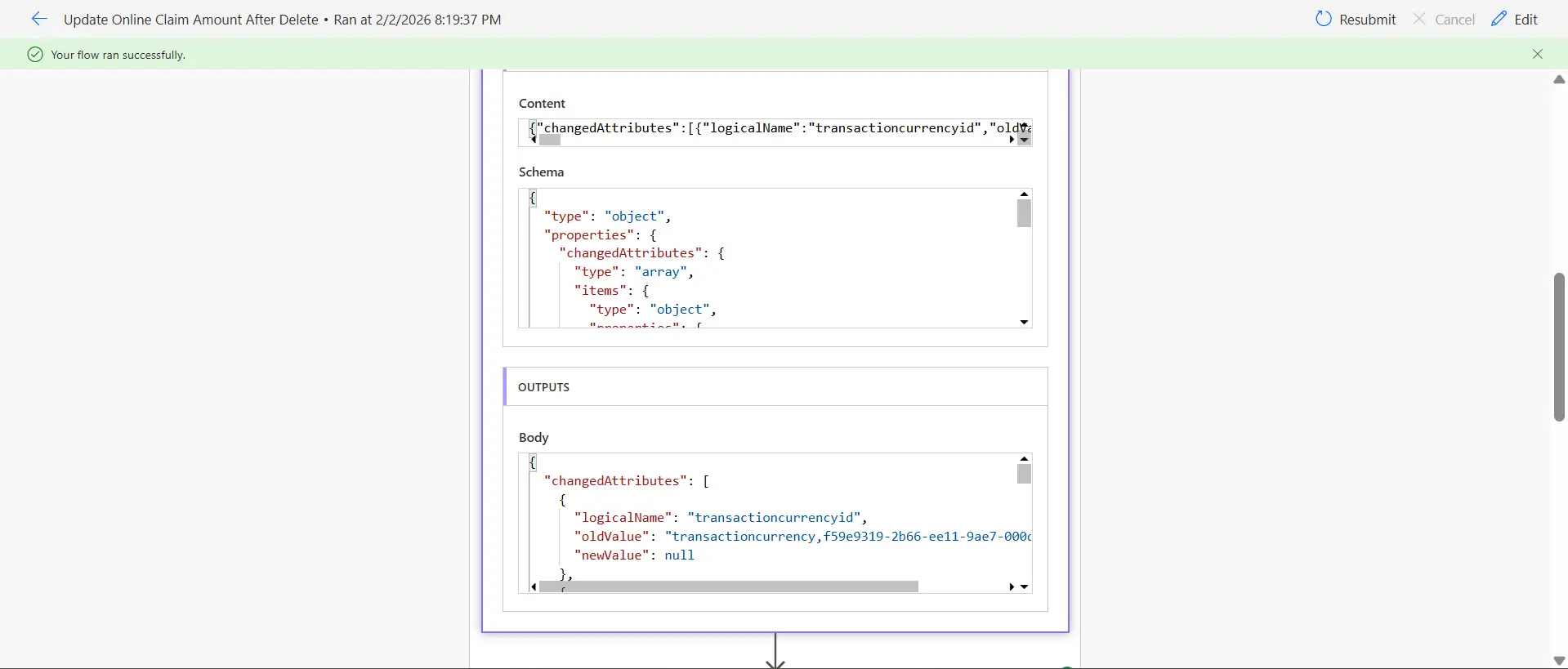
Why This Works
- Allows the field to be either string or null
- Prevents runtime validation errors
- Makes flows more stable
- Handles unpredictable data safely
Final Thoughts
The “Invalid type. Expected String but got Null” error is not a bug — it’s a schema mismatch.
By allowing null values in your Parse JSON schema, you can avoid flow failures and build more reliable Power Automate solutions.
Shivani Gusain
Power Automate Consultant
Power Automate Related Posts